What Is MES Software? A Plain-English Guide for Small Manufacturers
MES software explained in plain English for small manufacturers. Understand what it does, when traditional MES is overkill, and how modular alternatives let you deploy in minutes - not months.

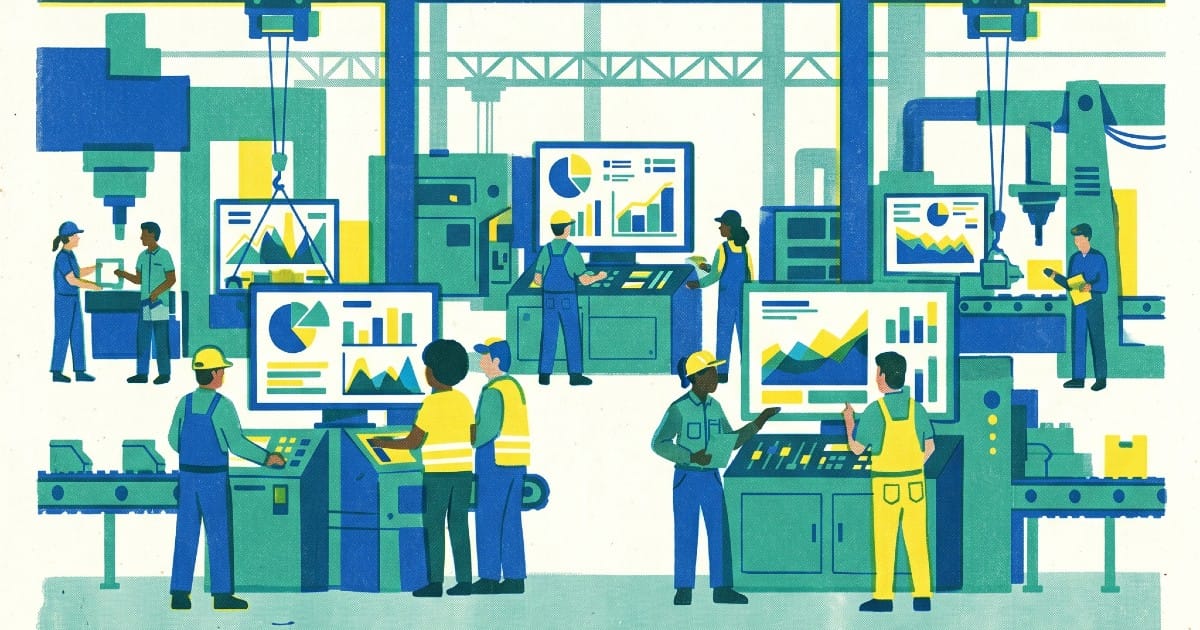
TL;DR: MES (Manufacturing Execution System) software is a digital layer that sits between your shop floor and your business systems, capturing what's actually happening in production in real time. For small manufacturers, traditional MES is usually too complex and too expensive. Newer modular alternatives like MikroMES let you deploy only what you need - downtime tracking, production pacing, inventory visibility, or maintenance ticketing - in minutes, not months.
The Question Every Plant Manager Eventually Asks
At some point, every manufacturing operation hits a wall. The spreadsheets break. The whiteboards can't keep up. The shift supervisor is fielding the same question three times a day: "Why did the line stop?" And nobody has a clean answer.
That's the moment someone types "MES software" into Google - and immediately gets overwhelmed by enterprise platforms with 12-month deployment cycles and six-figure price tags.
This guide cuts through that noise. We'll explain what MES actually is, what it does, and - critically - what it means for a small or mid-sized manufacturer who doesn't have an IT department, a systems integrator on retainer, or six months to spare.
What Is MES Software? The Simple Definition
MES stands for Manufacturing Execution System. It's a category of software designed to monitor, track, and control the production process on the shop floor, in real time.
Think of it as the nervous system of your factory. Where an ERP (Enterprise Resource Planning) system handles planning, finances, and logistics at a business level, MES sits on the floor itself - logging what machines are doing, what operators are producing, where materials are, and whether the line is running to schedule.
A traditional MES answers questions like:
- Is Machine 4 running or down right now?
- Are we on pace to hit today's production target?
- Where is Bin #17 of raw material?
- Has maintenance been notified about the hydraulic leak?
Without MES, the answers to these questions live in people's heads, on paper logs, or worse - they don't exist at all until something goes wrong.
A Brief History: Where MES Came From
MES as a formal concept dates to the early 1990s. The Manufacturing Enterprise Solutions Association (MESA International) published the first functional model in 1992, identifying 11 core functions - everything from resource allocation and dispatching to quality management and performance analysis.
The systems that emerged from that era were comprehensive, deeply integrated, and built for large discrete manufacturers: aerospace, automotive, electronics. They were sold with armies of consultants, took a year or more to deploy, and cost anywhere from $500,000 to several million dollars.
For the Fortune 500 factory running 24/7 with an on-site IT team, that investment made sense.
For the 80-person metal fabrication shop in Midwest USA? It didn't.
What Traditional MES Actually Does (All 11 Functions)
To understand why traditional MES is often overkill for small manufacturers, it helps to know what the full stack includes:
- Resource Allocation & Status - Tracking machines, tools, labor, and materials
- Operations/Detail Scheduling - Sequencing jobs and dispatching work orders
- Dispatching Production Units - Releasing work to the floor
- Document Control - Managing work instructions, BOMs, and specs
- Data Collection/Acquisition - Capturing sensor, PLC, and operator data
- Labor Management - Tracking operator time and performance
- Quality Management - In-process quality checks and non-conformance tracking
- Process Management - Directing operators through standard workflows
- Maintenance Management - Scheduling and tracking equipment upkeep
- Product Tracking & Genealogy - Full traceability from raw material to finished good
- Performance Analysis - OEE, cycle time, and shift reporting
That's a powerful suite. It's also a 12-to-18 month implementation project with a dedicated project team, multiple system integrations, and a training program that takes months to roll out.
For a 50-person shop floor, using all 11 functions is like buying a semi-truck when you need a pickup.
Why Small Manufacturers Get Left Behind
The MES market was built for big manufacturers. According to industry analysts, traditional MES implementations require:
- An IT infrastructure to host the system (on-premise) or significant cloud migration work
- Integration with ERP, PLCs, and SCADA systems
- Months of configuration, testing, and user acceptance
- Ongoing maintenance, upgrades, and vendor support contracts
The result is a market with a massive gap. Large enterprises are well-served. Small and mid-sized manufacturers - the backbone of industrial production in most countries - are left choosing between expensive platforms they can't fully use, or continuing to run on spreadsheets and gut instinct.
This isn't a theoretical problem. Industry surveys consistently find that the majority of manufacturers with fewer than 500 employees have no formal production tracking system in place. They're flying blind, shift after shift.
The Real Cost of Running Without MES
Before we look at the alternatives, it's worth quantifying what "no MES" actually costs.
Untracked downtime is the most visible leak. The average manufacturer loses 5-20% of productive capacity to unplanned stoppages. If your line runs at $1,000/hour fully loaded, and you're losing even 8% of an 8-hour shift to untracked stoppages, that's $640 per shift. Across 250 shifts a year, that's $160,000 in lost output - from one line.
The tragedy isn't the downtime itself. It's that without a tracking system, you can't see the pattern. You don't know if Machine 3 is responsible for 60% of stoppages. You don't know if the morning shift consistently loses 45 minutes at changeover. You just know that the numbers at the end of the month don't add up.
Production pacing gaps are less obvious but just as costly. When operators don't know whether they're ahead or behind target in real time, they can't self-correct. Supervisors spend time chasing status updates instead of solving problems. End-of-shift shortfalls become surprises.
Inventory opacity ties up capital and causes line stoppages. If nobody knows where Bin #12 is, the line stops. If you're manually counting bins, you're both wasting labor and accepting inaccuracy.
Maintenance communication friction turns small problems into big ones. A hydraulic leak that gets flagged immediately is a 30-minute fix. The same leak that gets communicated by word-of-mouth, lost in a shift handover, and discovered six hours later is a planned shutdown.
The Modern Alternative: Modular, Mission-Critical Apps
The good news: the market has evolved. A new category of manufacturing software has emerged - modular, cloud-native apps that solve specific, high-value problems without the baggage of a full MES platform.
Instead of buying a monolithic system and using 20% of it, you deploy the modules that address your biggest pain points, and you're running the same afternoon.
This is the approach behind MikroMES: four focused apps, each solving a distinct operational problem, each deployable independently.
Stop guessing. Start tracking.
Know why your line stopped. In 3 seconds.
SnapTrack lets operators log machine stoppages with a single tap - on any device, no hardware required. You get real-time visibility, standardized reason codes, and the data you need to eliminate your top downtime causes. Free tier available. No credit card needed.
✓ Free tier forever · ✓ Deploy in minutes · ✓ No IT department needed
SnapTrack - Machine Downtime Tracking
SnapTrack solves the "why did the line stop?" problem. Operators log stoppages in 3 seconds with a single tap on any device. Stoppage reasons are standardized, making the data immediately analyzable. Supervisors and managers get real-time visibility across all stations.
The key difference from traditional MES downtime modules: there's no hardware installation, no PLC integration required, no IT project. You set up your stations, define your stoppage categories, and start capturing data today.
→ Learn more about SnapTrack and machine downtime tracking
Pace - Real-Time Production Pacing
Pace solves the visibility problem for production targets. It displays real-time target vs. actual counts on any screen - a large TV on the floor, a supervisor's tablet, a manager's workstation. Every operator on the line knows whether the shift is winning or losing at any moment.
The psychological effect on production performance is immediate and documented. When the number is visible, people respond to it.
→ See how Pace works on the MikroMES suite page
BinTrack - Inventory Visibility
BinTrack gives you real-time bin-level inventory tracking without implementing a full WMS. High-value materials, tooling, and WIP bins are tracked at the kiosk level. No more mystery of the missing bin.
→ See BinTrack on the MikroMES suite page
RequestRepair - Maintenance Ticketing
RequestRepair bridges the gap between production operators and maintenance teams. A QR code at each machine lets operators raise a maintenance ticket in seconds, with no phone calls, no written logs, no miscommunication. Maintenance teams receive structured tickets with location, issue type, and urgency - not a verbal handoff.
→ See RequestRepair on the MikroMES suite page
MES vs. Modular Apps: How to Choose
Not every manufacturer should skip traditional MES. Here's a framework for making the right call.
You probably need a traditional MES if:
- You have regulatory traceability requirements (medical devices, aerospace, food & drug)
- You need full genealogy tracking from raw material to finished product
- You're running complex multi-stage processes that require tight ERP integration
- You have 500+ operators and the operational complexity that comes with that scale
- You have an IT team and the budget to support a major systems project
A modular approach is likely right if:
- You have fewer than 200 employees on the shop floor
- Your biggest problems are visibility (downtime, pacing, inventory, maintenance)
- You've tried ERP-native production modules and found them too clunky for operator adoption
- You need results this month, not next year
- Your IT support is limited or outsourced
- You want to start with one problem, prove the value, then expand
The honest answer is that most small manufacturers don't need the full 11-function stack. They need to solve 2-3 specific, costly operational problems - and they need to solve them fast.
What to Look for in Any MES or Production Tracking Tool
Whether you go modular or traditional, evaluate any system against these criteria:
Operator adoption rate. The best MES in the world is worthless if operators don't use it. Evaluate based on how long it takes an untrained operator to log an event. If it takes more than 60 seconds, expect data quality to degrade over time.
Time to first value. How long before you see actionable data? A system that takes 6 months to configure will show ROI much later than one that shows patterns in the first week.
Total cost of ownership. Include implementation, hardware, training, maintenance, and integration costs - not just the license fee. Modular SaaS tools with a free tier allow you to validate value before committing.
Device flexibility. Shop floors don't run on one device type. A system that requires specific hardware creates a procurement dependency. Cloud-native, browser-based tools work on any device already on the floor.
Data quality and normalization. Raw data is only useful if it's structured. Look for systems that enforce standardized reason codes, timestamps, and operator IDs from the moment of capture - not systems that require manual cleanup before analysis.
Getting Started: A Practical Approach
If you're a small manufacturer looking to get your first production tracking system in place, here's a practical sequence:
Step 1: Identify your single biggest operational pain. Is it untracked downtime? Production visibility? Maintenance communication? Inventory opacity? Start with the problem that's costing you the most per shift.
Step 2: Quantify the cost of that problem. Use our free Manufacturing ROI Estimator to get a rough number. You need to know what you're solving before you can evaluate whether a solution is worth it.
Step 3: Calculate your current OEE. If you don't know your OEE, start with our free OEE Quick-Check Calculator. It gives you a baseline and identifies where availability, performance, or quality losses are hiding.
Step 4: Deploy a single module, on a single line, for 30 days. The goal is proof of concept, not full deployment. Capture data, identify patterns, and demonstrate value before expanding.
Step 5: Expand based on evidence. Once one module is running with clean data, add the next one. Each module you add increases the cross-functional visibility of your operation.
Frequently Asked Questions
What is MES software used for? MES software is used to monitor and control production on the shop floor in real time. It tracks machine status, operator activity, material flow, and production output - giving managers visibility into what's happening on the floor as it happens, not hours later when the shift report is filed.
Is MES software the same as ERP? No. ERP (Enterprise Resource Planning) handles business-level operations: finance, purchasing, sales, inventory at the business level. MES sits on the shop floor and handles production-level operations: what's running, what stopped, what was produced. The two systems are complementary - MES captures the production data that feeds into ERP planning.
How much does MES software cost? Traditional MES platforms range from $100,000 to several million dollars when you include implementation, hardware, and integration costs. Modular manufacturing apps like MikroMES start with a free tier - up to 5 stations per module at no cost - and scale up from $30-95/month per module depending on station count.
Can a small factory use MES software? Yes, but traditional MES is often overkill. Modular manufacturing apps designed for small shops - covering downtime tracking, production pacing, inventory visibility, and maintenance ticketing - deliver the core value of MES without the complexity or cost. Small manufacturers typically see the fastest ROI when starting with one or two focused modules.
What is OEE and how does MES help? OEE (Overall Equipment Effectiveness) is the standard metric for measuring manufacturing productivity. It combines Availability (is the machine running?), Performance (is it running at full speed?), and Quality (is it producing good parts?). MES systems capture the data needed to calculate OEE in real time. Use our free OEE Quick-Check Calculator to benchmark your current performance.
Do I need IT support to implement MES? Traditional MES requires significant IT involvement: servers, network infrastructure, integrations, and ongoing maintenance. Cloud-native modular systems like MikroMES require zero infrastructure. You sign up, configure your stations, and deploy - no IT department required.
What's the difference between MES and SCADA? SCADA (Supervisory Control and Data Acquisition) systems interface directly with machines and PLCs to collect sensor-level data automatically. MES sits above SCADA, aggregating data and providing operational management context. For small manufacturers without PLCs or automation, operator-driven MES apps (where humans log events with a tap) capture the same essential data without any hardware integration.
The Bottom Line
MES software exists to answer one fundamental question: what is actually happening on my shop floor right now?
For large manufacturers, the answer requires a multi-million dollar platform with years of implementation effort. For small and mid-sized manufacturers, the answer is available today - through modular apps that target the specific problems costing you the most per shift.
The technology has caught up to the need. The only remaining question is how much longer you'll run on spreadsheets and gut instinct before you start capturing clean data.
Stop guessing. Start tracking.
Know why your line stopped. In 3 seconds.
SnapTrack lets operators log machine stoppages with a single tap - on any device, no hardware required. You get real-time visibility, standardized reason codes, and the data you need to eliminate your top downtime causes. Free tier available. No credit card needed.
✓ Free tier forever · ✓ Deploy in minutes · ✓ No IT department needed
Deploy MikroMES for free - no credit card required, free tier forever, and your first module can be running before your next shift starts.
Guy Mizrahi is the founder of MikroMES and has 20+ years of experience in MES and manufacturing operations. He's spent two decades watching digital transformation projects succeed and fail on the shop floor - and built MikroMES to eliminate the reasons they fail.
Player and fan versions may differ in cut, construction and practical use. When fit and season are both important, Spain national team jersey for fans(camiseta de la selección española para aficionados) keeps the choice tied to the intended team. Comparing material and cut helps separate visual preference from practical comfort.